
How an IAM Request Actually Gets Authorized
Your AccessDenied is not about your user. It is about 6 policy types, one combined evaluation, and a request envelope you have never seen.

You think IAM checks your user. It does not.
When s3:GetObject lands at the AWS API, IAM does not ask “is Bhanu allowed to read this bucket.” It evaluates a request envelope. Your principal is one field inside that envelope. Action, resource, source IP, MFA state, session tags, time of day. All of those are inputs. Allow or Deny is the output.
This is the gap between how engineers think IAM works and how it actually works. You read the policy. You see "Effect": "Allow". You hit the API. CloudTrail says AccessDenied. You stare at the policy again.
The policy is fine. The envelope is the problem. Or one of the five other layers nobody told you about is silently saying no.
Here is the actual pipeline.
TL;DR
Save and Share:
PS: Your shares are the main source of growth for this newsletter. My weekly goal is to get more than 100 shares for each article. It helps me maintain my laser-like focus on debugging production while keeping the article free.
The Request Envelope
Every AWS call you make, from the CLI, an SDK, or a Lambda, gets packaged into a request context before IAM does anything. You never see this object directly. It is the evidence IAM judges. The envelope has four parts.
Principal: the ARN making the call. A user, a role session, a federated identity. Never a person, always an ARN.
Action: the API operation, namespaced by service. s3:GetObject, kms:Decrypt, ec2:RunInstances. One action per request.
Resource: the ARN being acted on. arn:aws:s3:::prod-logs/2026/05/19/access.log. Some services support resource-level permissions, some only support *.
Conditions context: a key-value bag IAM builds at request time. aws:SourceIp, aws:MultiFactorAuthPresent, aws:PrincipalTag/team, aws:CurrentTime, and dozens more. This is the part most engineers ignore. It is where most surprise denials hide.
Before any of this matters, the request itself has to be authenticated. SigV4 verifies the signature on the HTTP call so AWS knows the principal field is not forged. SigV4 answers who is calling. Authorization answers what they can do. They are separate steps and they fail for different reasons.
Once the envelope is built, IAM walks it through the pipeline.
The 6 Policy Types That Decide The Call
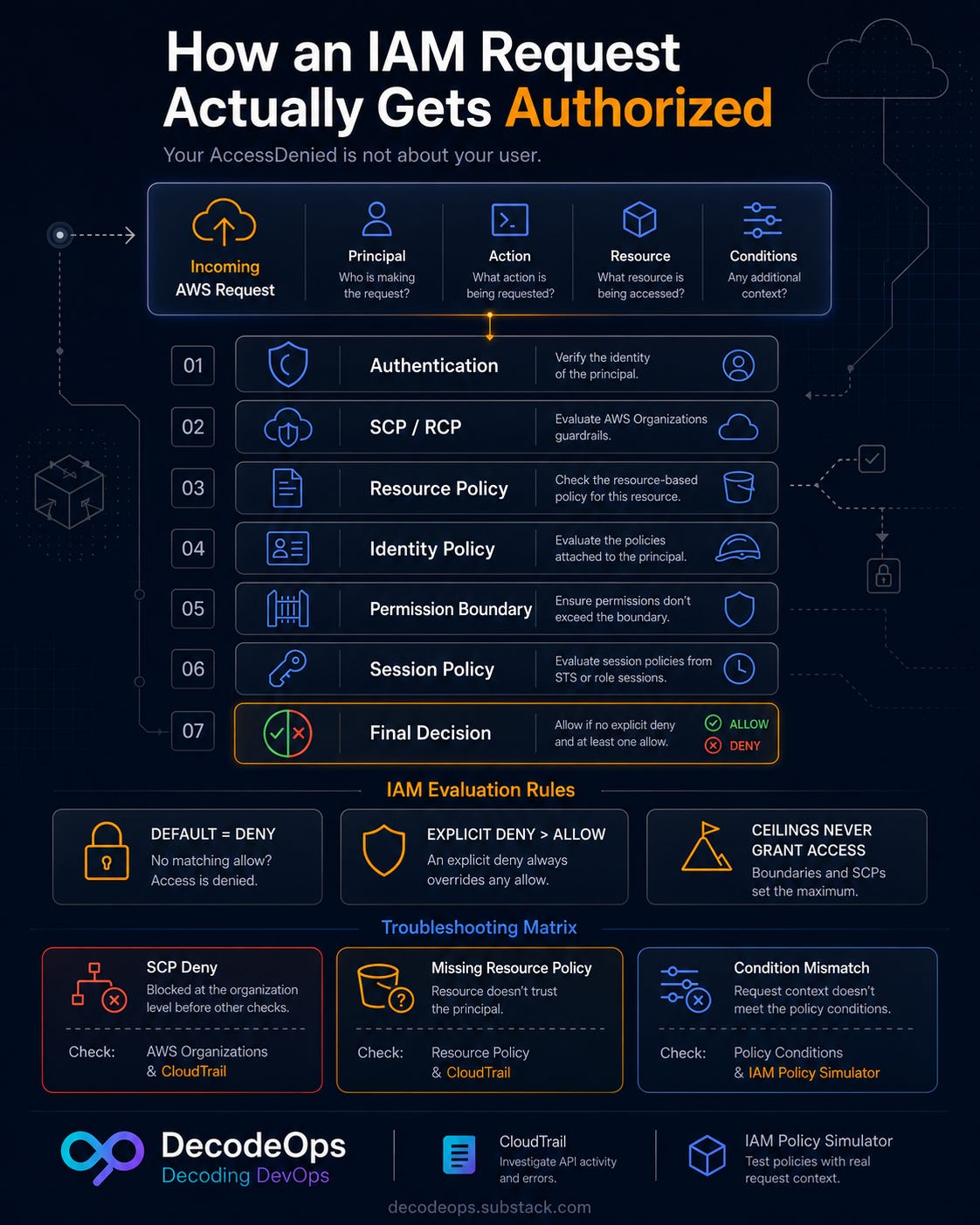
Six policy types feed into the decision. AWS does not march through them strictly in sequence. It evaluates all of them together and combines the verdicts using three rules.
Rule one: default is deny. If nothing explicitly allows the action, the request fails.
Rule two: an explicit deny anywhere beats every allow. One "Effect": "Deny" ends it.
Rule three: SCPs, RCPs, permission boundaries, and session policies act as ceilings. They restrict the maximum. They never grant.
Here are the six types, in the order they conceptually narrow the decision. Treat the order as a teaching model. The actual evaluation happens in one combined pass.
1. Authentication (SigV4)
The HTTP request carries a signature derived from the caller’s access key and the request body. AWS recomputes the signature on its side. Mismatch means the request is rejected before any policy is loaded. This is why a wrong clock on a worker node breaks IAM. Skewed timestamps invalidate the signature.
2. Organizations SCPs and RCPs
If the account is a member of an AWS Organization, Service Control Policies cap what every principal in that account can do. SCPs do not grant anything. They only restrict. An SCP Deny on s3:DeleteBucket shuts that action off across every principal in the account, including that account’s root user. The management account is exempt: SCPs do not apply to its users and roles.
Resource Control Policies are the newer org guardrail most engineers have not heard of yet. SCPs limit what principals can do. RCPs limit what resources can have done to them. If you only check SCPs when debugging cross-account denials, RCPs will burn you.
3. Resource-based policies
The bucket policy on S3, the key policy on KMS, the resource policy on a Lambda. These attach to the resource, not the principal. For same-account access they union with identity policies, so an allow in either is enough. For cross-account access both sides must allow: the caller’s identity policy in account A and the resource policy in account B. KMS is the loud exception. The key policy must explicitly delegate to IAM before identity policies in the same account count at all.
4. Identity-based policies
The policies attached to the IAM user, group, or role. This is the layer most engineers think of as “IAM”. An allow here, combined with no explicit denies upstream, is what most requests rely on.
5. Permission boundaries
A managed policy attached to the principal that caps its maximum permissions. Identity policy says “allow s3:*“. Permission boundary says “max s3:GetObject, s3:PutObject“. The effective permission is the intersection. Boundaries are how platform teams give developers self-service IAM without letting them grant themselves admin.
6. Session policies
When code calls sts:AssumeRole, it can attach session policies two ways: inline through the Policy parameter, or by passing up to 10 managed policy ARNs through PolicyArns. Either way they scope the session down. The effective permission is the role’s identity policy intersected with every session policy. If the role does not have s3:GetObject, a session policy granting s3:* does nothing.
Now trace one real call through all six.
A walked example
A Lambda function with role lambda-reports tries s3:GetObject on arn:aws:s3:::finance-prod-reports/2026/Q1.csv. The account is part of an Organization. The role has a permission boundary attached. The Lambda assumed a session with an inline session policy.
SigV4: the Lambda runtime signs the request with the role’s temporary credentials. Signature checks out.
SCP: the finance OU has an SCP denying any
s3:*action where the resource tagEnvironmentis notprod. The bucket is taggedprod. SCP allows.Resource policy:
finance-prod-reportshas a bucket policy listingarn:aws:iam::123:role/lambda-reportswiths3:GetObject. Allow.Identity policy: the role’s attached policy also allows
s3:GetObjecton the bucket. Allow.Permission boundary: boundary caps the role to
s3:GetObjectands3:ListBucket. The action is in scope. Allow.Session policy: AssumeRole was called with an inline policy
{"Effect":"Allow","Action":"s3:GetObject","Resource":"*"}. Action is in scope. Allow.
Request goes through. The CSV is returned.
Now flip one thing. A platform team adds a new SCP denying any S3 action without MFA for cross-account roles. Lambda has no MFA. The SCP’s explicit deny lands in the combined evaluation and overrides every allow elsewhere. Request denied. Modern AccessDenied messages from S3 will often name the policy type that caused it (”explicit deny in a service control policy”). Older services and some implicit denies stay quiet, which is when CloudTrail becomes your only friend.
That is why debugging IAM gets ugly. And once roles are involved, it gets worse.
The AssumeRole Twist
When the principal is a role, the chain has its own gotchas.
The trust policy is not an identity policy. It is a resource policy attached to the role itself. It controls who can call sts:AssumeRole to become the role. Forget this and you spend an hour wondering why a cross-account role refuses to assume even though its identity policy is fine. The identity policy lives on the role. The trust policy gates entry to the role.
Most context keys are evaluated at request time, not at AssumeRole time. aws:SourceIp, aws:CurrentTime, aws:MultiFactorAuthPresent are all per-request. A trust policy that requires MFA at assume time does not stop the session from later making MFA-less calls. A handful of keys are locked when the session is created: session tags surface as aws:PrincipalTag/*, federated identity surfaces as aws:FederatedProvider. Those stay fixed for the life of the session.
Role chaining caps session duration at one hour. Once a session is created by one role assuming another, the new session lives for at most 60 minutes regardless of the role’s MaxSessionDuration. It does not shrink per hop. It is flat at one hour. This burns long-running workloads that chain across accounts and hit silent token expiry mid-job.
Why Your AccessDenied Is Lying To You
The error message says AccessDenied. For many newer services it will now name the policy type that denied, sometimes the exact policy. For older services it still stays vague. AWS does not want denied calls leaking permission structure to attackers.
When the message is vague, two tools fill the gap. EC2, KMS, and a few others return an encoded authorization message you can decode with sts:DecodeAuthorizationMessage.
That payload spells out the action, the resource, and the matched statement. For everything else, pull the CloudTrail event. You will see the principal ARN, the action, the resource, the requestParameters, and the full userIdentity.
To see the condition keys AWS actually evaluated, enable a CloudTrail Lake event-data-store with enriched events. The base trail and event history do not include the eventContext field with the evaluated keys.
Three traps that account for most production denials:
An SCP at the org root: someone added a deny in the management account three months ago. Your account inherited it. The IAM team that owns the account does not know.
A missing resource policy on cross-account: identity allow in the caller account, no resource allow on the target. Same-account this works. Cross-account it does not.
A condition key mismatch: the policy requires aws:RequestTag/Environment equals prod. The request did not include the tag. Allow becomes deny.
The CloudTrail event tells you which of those it is in under a minute.
Stop Guessing. Use The Simulator.
The AWS IAM Policy Simulator replays part of the evaluation. You paste in the principal, the action, the resource, and condition keys.
It evaluates identity policies, one permissions boundary, optional SCP impact, and limited IAM-user resource policies, then tells you which statement matched.
It has real gaps. The simulator does not cover RCPs, cross-account scenarios, SCPs with condition keys, resource policies for IAM roles, or session policies. So lean on it for the identity-and-boundary layers, then verify the rest against the live call.
The workflow that actually works: pull the failing event from CloudTrail, replay the inputs in the simulator to find the suspect statement, then dry-run the call against the live resource. That sequence beats staring at JSON until your eyes glaze over.
That is it for today. Don’t forget to claim your reward:
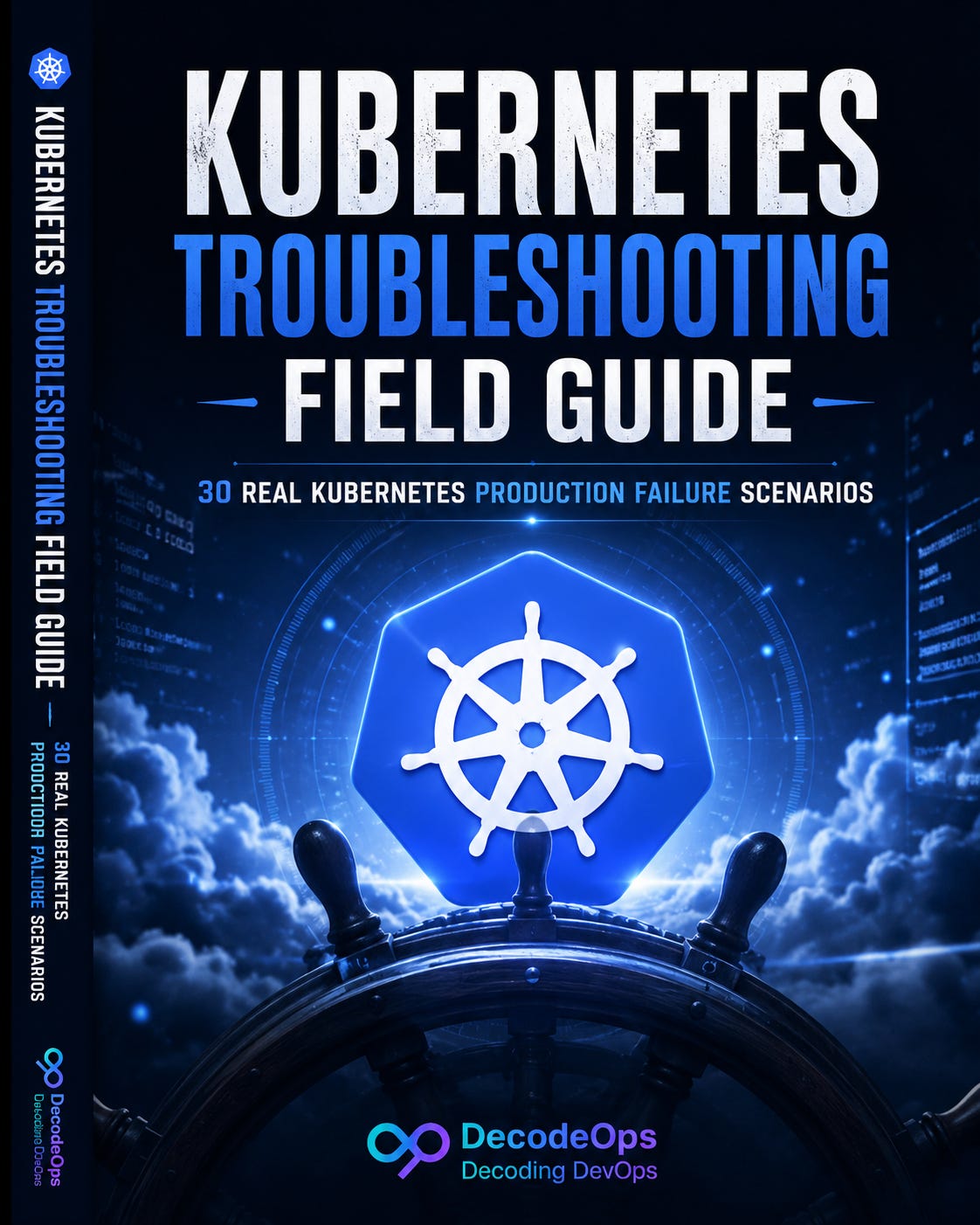
Existing subscribers — check your welcome email or a mail with subject “We Hit 500. Here’s What You Get.”.
Not subscribed yet? then you are going to miss The Kubernetes Troubleshooting Field Guide lands in your inbox directly. Subscribe below and it lands in your welcome email automatically.
Which IAM layer has burned you the most in production: SCPs, boundaries, or session policies? Share your experience in the comments.
See you on saturday. Try not to break production before then (Not friday night😂).
Keep decoding, Bhanu from DecodeOps